
Big NEON Tower VS Tiny Square
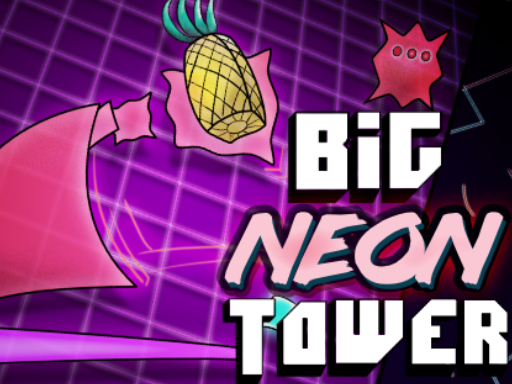
You move with the arrow keys or A and D, jump with space, Z, or the up arrow, and restart from the last checkpoint with Y. It is a single-player, landscape desktop game that runs in the browser without any installation. The action takes place across one giant tower, split into single-screen sections, where each obstacle is deliberately placed and precision is key to climbing through the maze-like structure.
Loading the game…
This game did not load. It may be temporarily unavailable on the provider side.
About this game
Ride the vaporwaves and avoid the neon nusiences in the 3rd instalment of the Big Tower Tiny Square series played by MILLIONS across the web! Inspired by 90s arcades, the Big NEON Tower is one giant level broken up into large single-screen sections. Each obstacle has been meticulously placed. Each section devilishly designed. It will take patience and skill to navigate the maze-like tower. Precision is key to success! Come chat about the game in our Discord: https://discord.gg/89bTXwhv Troubleshooting: Game is choppy/low FPS: Toggle the PERFORMANCE button in options for smoother gameplay. (Defaulted On for mobile) Too zoomed out: Toggle the ZOOM button in options for a zoomed in view on the player. (Defaulted On for mobile) Can’t start: Highlight the start button with A/D and press space (Keyboard) or Joystick and A button (Controller) or click Start. On mobile just touch the start button.
How to play
Menu UI A W or Arrow Keys to move space to select Click or touch UI on mobile Keyboard Move with Arrow Keys or A D Jump Space Bar or Up Arrow or Z or W Y to restart at last checkpoint ESC for Menu Controller
Related games
View all
NEW PANDA RUN
New Panda Run is on the run collecting coins and avoiding obstacles in this merry and fun Christmas game. Use the up arrow to jump but be sure to avoid the

Big FLAPPY Tower VS Tiny Square
Fling, flip, and FLAP your way over pipes and pits on your way to rescue your Pineapple in the 4th instalment of the Big Tower Tiny Square series! Having c
Be a pirate
At first glance, the goal is quite simple: to run from door to door, but not everything is so easy. Along the way, you need to collect all the coins, somet

Knife Fllip
Flip knives to become a master while building your own collection of knives! enjooy it .
Zombie Invasioon
Zombie Invasion is an html5 arcade game, survive and kill the zombies to get scores, collect grenade, life, and air bomb to kill more zombies.
Turtle Ninja
Turtle Ninja: Epic Adventure on an epic adventure to save their city from the evil forces! Get ready for an action-packed adventure with Turtle Ninja! The
Finding Nemo
Finding Nemo game is a video game published on pc by Labogames Inc.. It's an adventure game Thank you downloaded Nemo game, We tried to make it good !, We
Neon Block
A fun casual game with a neon theme. try to pass all levels with the least amount of deaths possible. Challenge your friends. 15 Levels Playable in all pla